SmartJobs Reception

Digital reception for offices and construction sites.

Sign in visitors, staff and contractors, manage site attendance, and know who is present across every workplace. Try SmartJobs Reception free, no credit card required.

  • Visitors
  • Contractors
  • Staff
  • Kiosk and QR sign-in
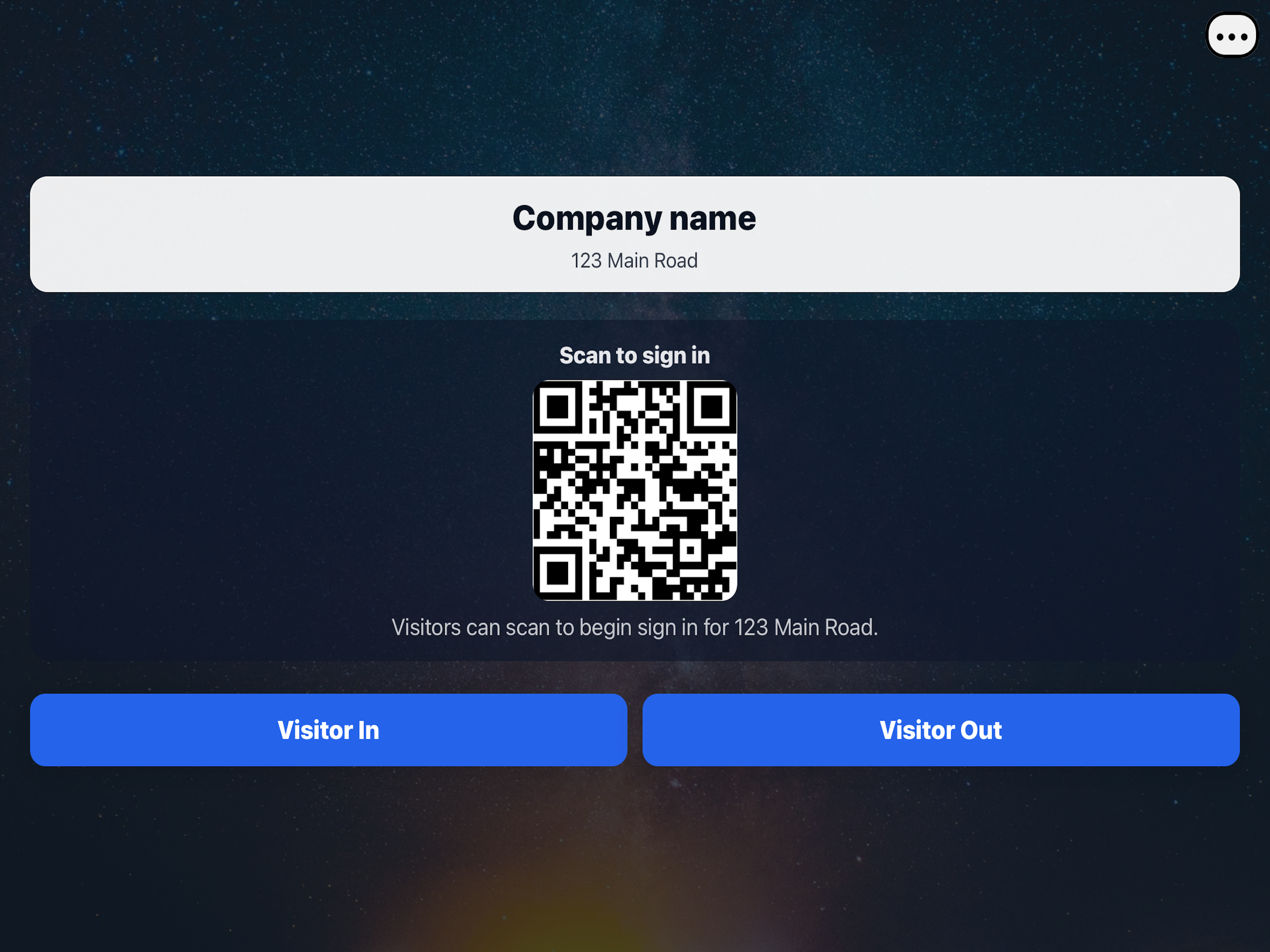
SmartJobs Reception kiosk sign-in screen
SmartJobs site QR sign-in code example
SmartJobs Reception

One reception platform for every workplace.

Manage visitors, staff and contractors across offices and construction sites from one connected SmartJobs platform.

Office reception kiosk sign-in screen

Office Reception

Create a modern and professional arrival experience for visitors, staff, contractors and deliveries.

  • Visitor sign-in
  • Staff sign-in
  • Contractor sign-in
  • QR code check-in
  • Host notifications
  • SJ Reception Mode
  • Visitor records
  • Emergency roll call
  • Workplace inductions
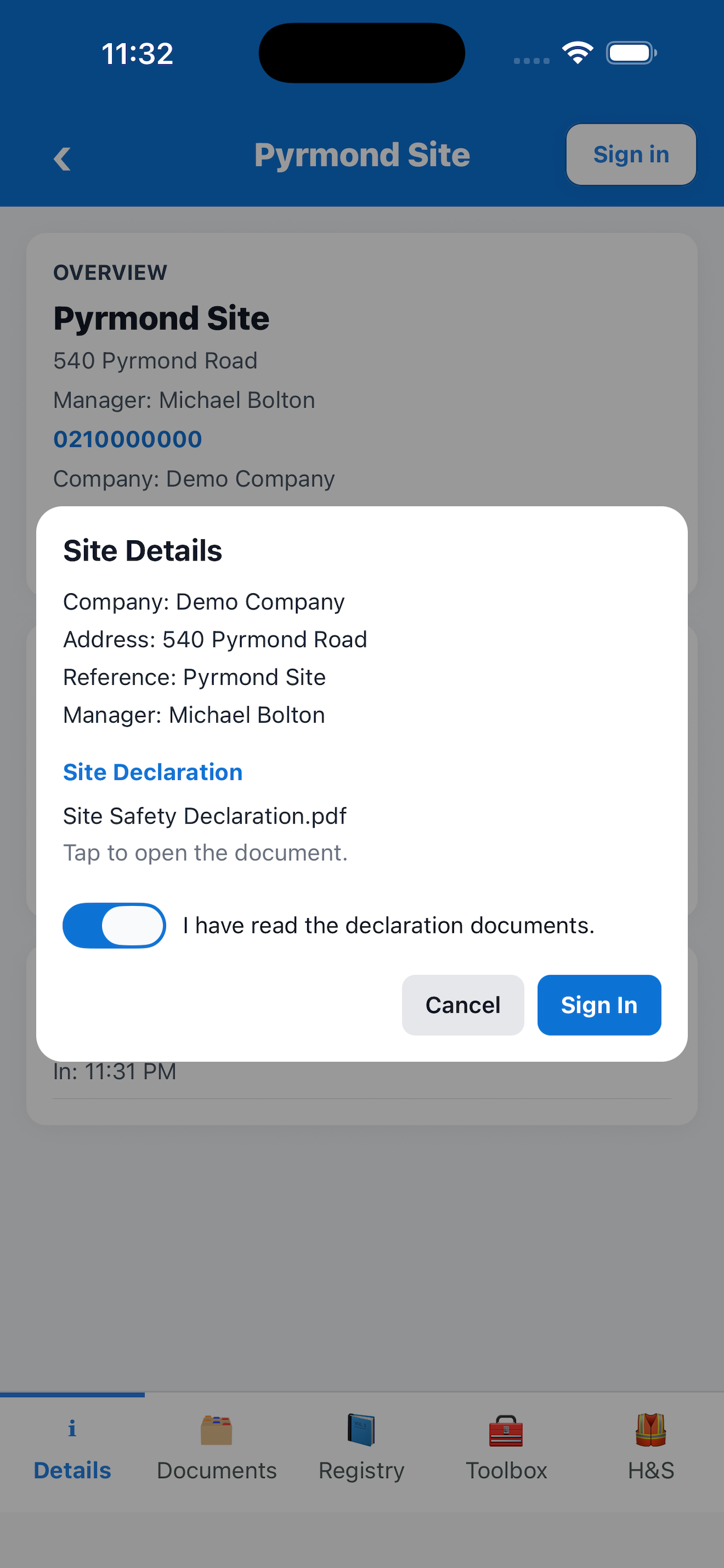
Construction site sign-in declaration screen

Construction Site Sign-In

Manage workers, contractors, visitors, inspectors and deliveries across your construction sites.

  • Site QR sign-in
  • Worker attendance
  • Contractor attendance
  • Site inductions
  • Inspector sign-in
  • Live site attendance
  • H&S tab
  • Hazards and incidents
  • Multiple sites
Live visibility

Know who is on site right now.

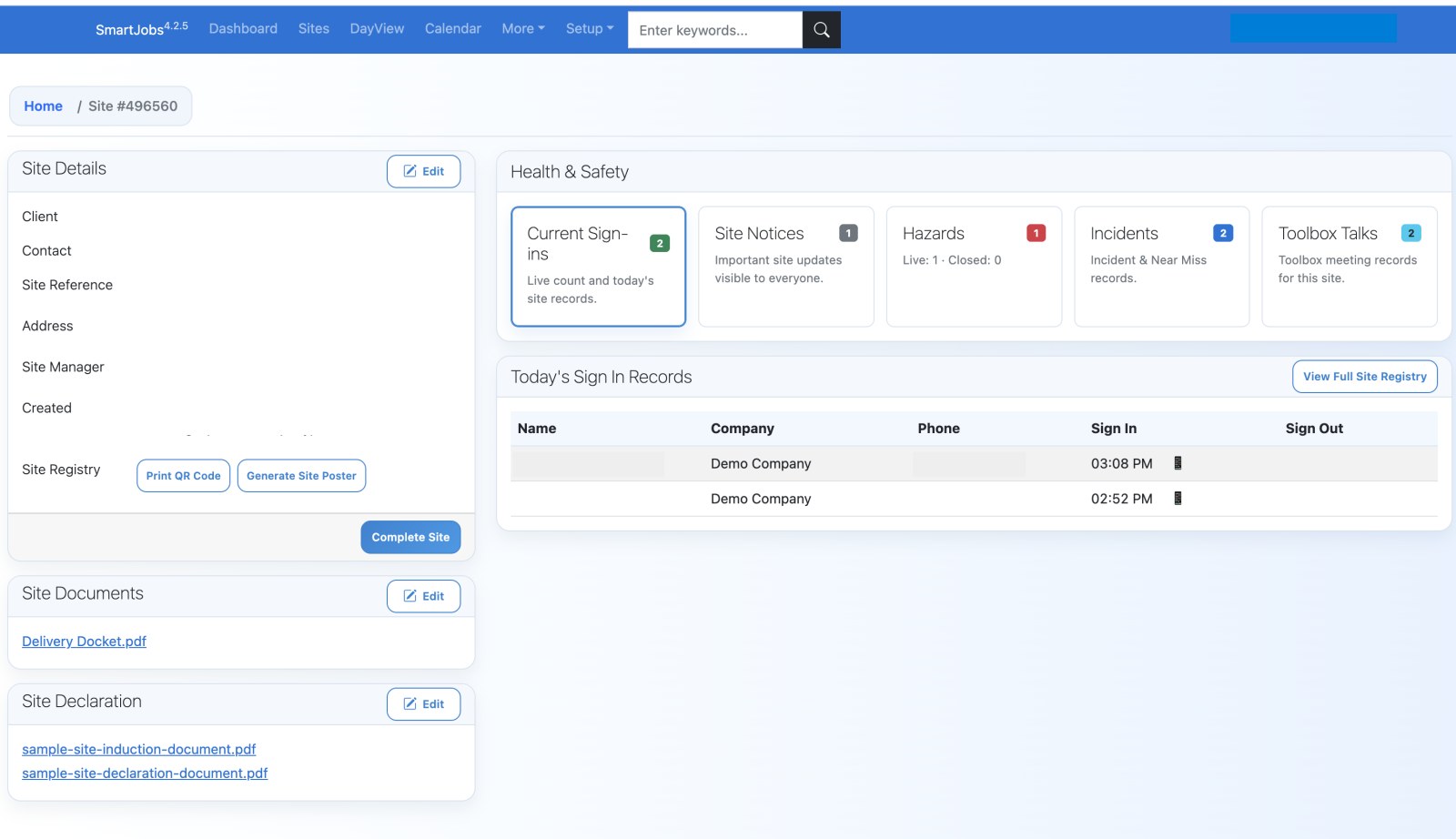
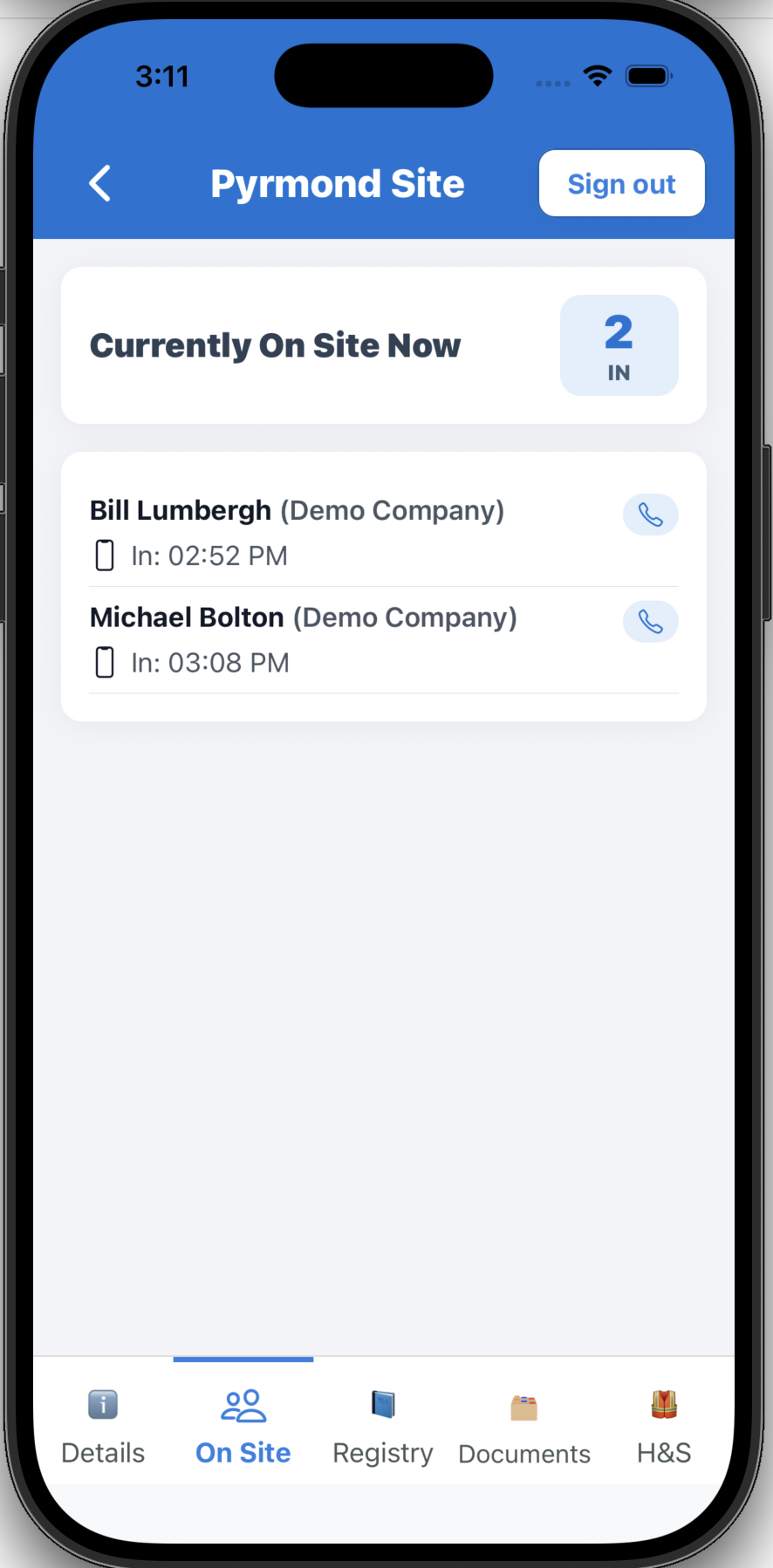
Managers can open the SmartJobs website or app and see who is currently signed in, which site is live, and when people arrived, without relying on a paper register.

SmartJobs desktop site screen showing live sign-in records
SmartJobs app On Site screen showing who is currently signed in
SJ Reception

Unattended reception with guided call flows.

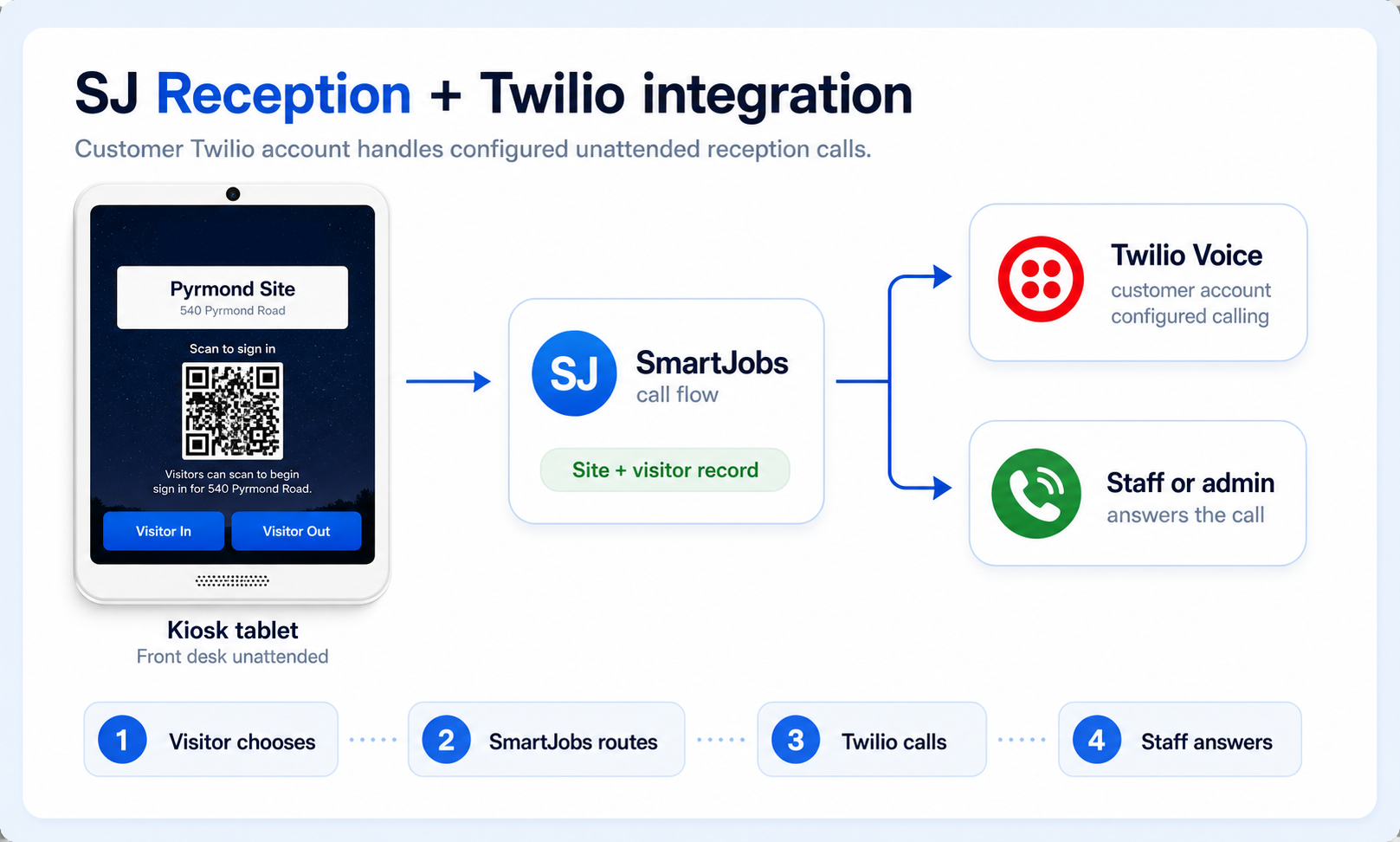
SmartJobs Reception can run in SJ Reception Mode on a kiosk tablet when the front desk is unattended. Visitors and couriers can follow guided options, and SmartJobs can route the configured call flow through the customer's Twilio account to staff or admin phone numbers.

  • Link a customer's Twilio account for configured unattended reception calling where enabled.
  • Route visitor, courier and reception requests to the right staff member, admin or reception number.
  • Use site FAQ answers for common unattended reception questions.
SmartJobs SJ Reception integration diagram showing kiosk reception mode routing through Twilio to staff or admin phone calls
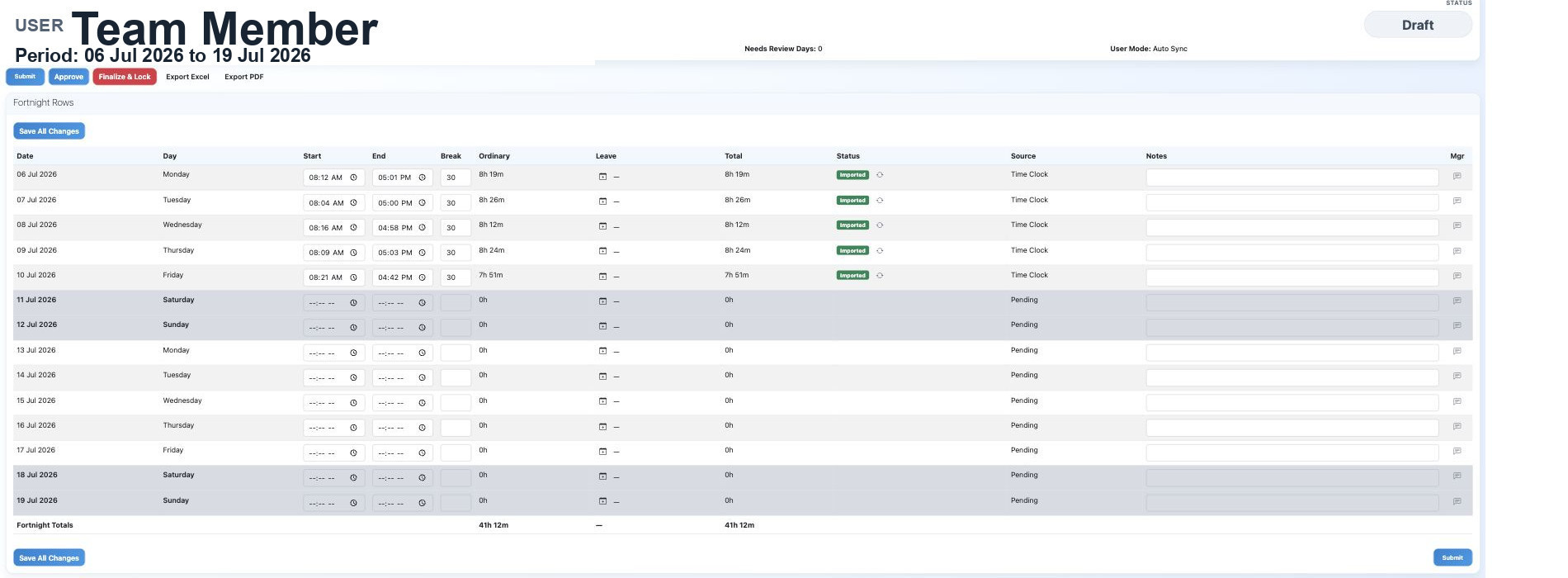
Connected timesheets

Timesheets built from sign-in and sign-out records.

When staff clock in and out, SmartJobs can turn those attendance records into timesheets for the company. Reception, time clock and timesheets stay connected in the same platform.

  • Auto Sync can import attendance from sign-ins and the mobile time clock.
  • Managers can still review, edit, submit, approve, finalise and export timesheet periods.
  • Staff, site and workplace records stay tied together instead of being copied into spreadsheets.
SmartJobs web timesheet screenshot showing imported time clock rows and fortnight totals
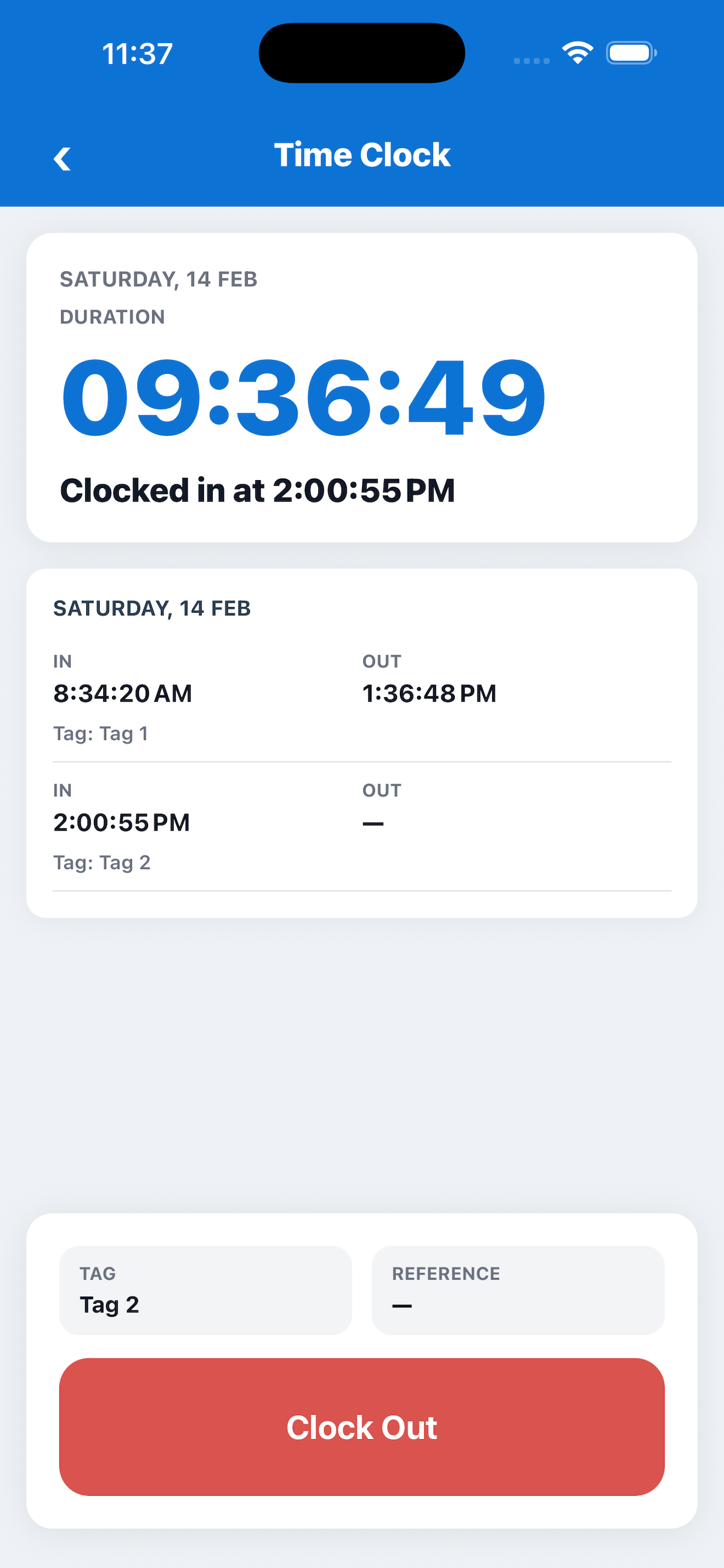
SmartJobs mobile time clock screenshot
Mobile time clock source Clock-in and clock-out records can flow into the web timesheet for manager review.
Construction H&S

Site health and safety records in the same app.

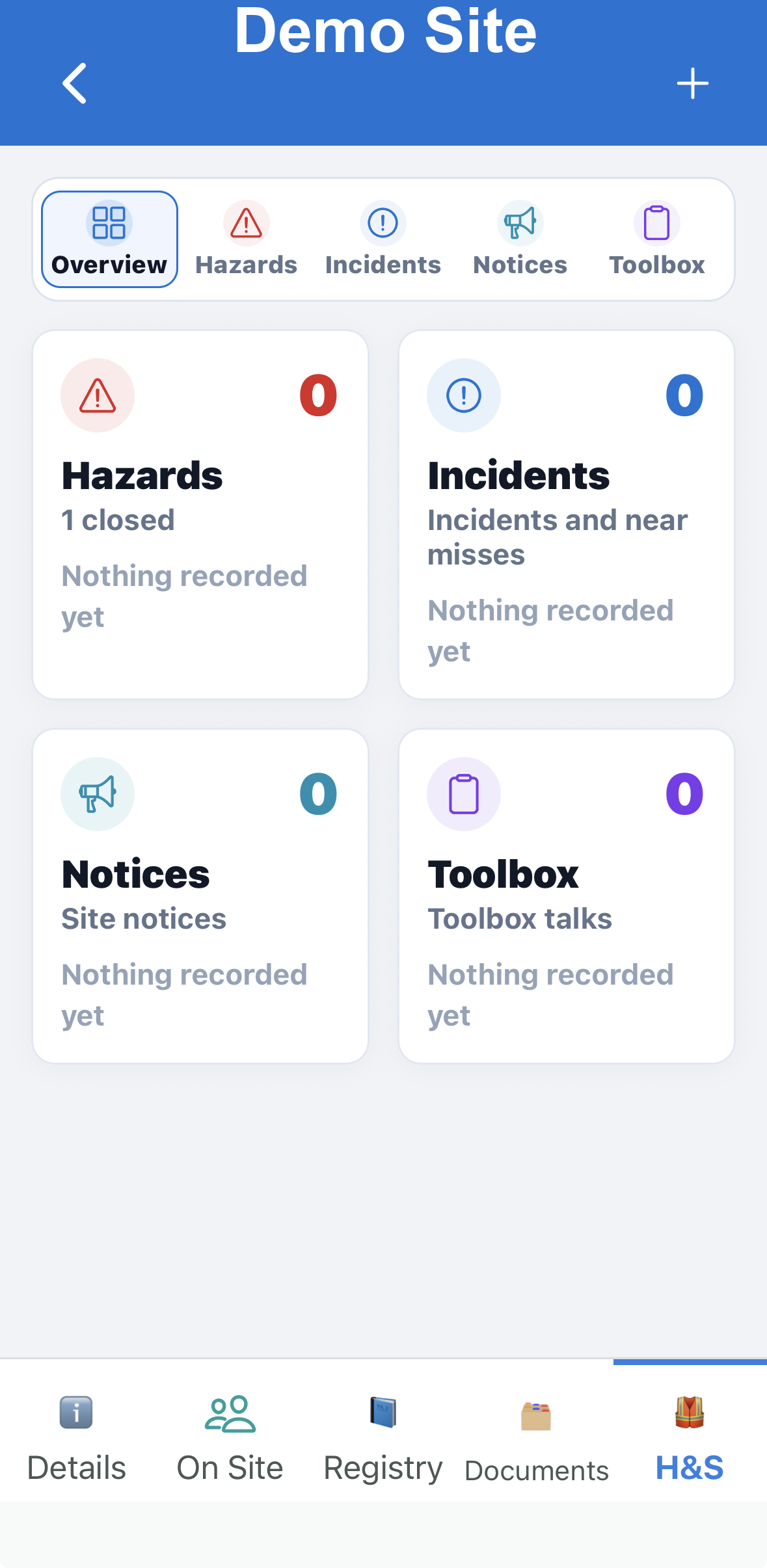
Construction teams can use the H&S tab to keep site hazards, incidents, notices and toolbox talks visible beside sign-in and attendance records.

  • Track open and closed hazards for each construction site.
  • Keep incidents and near misses visible to the team.
  • Share site notices and toolbox talks from the same mobile workflow.
SmartJobs app H&S tab screenshot showing hazards, incidents, notices and toolbox talks
SmartJobs Platform

Start with Reception. Add timesheets, H&S and Job Management when you need them.

SmartJobs Reception, Timesheets, Site Management and Job Management all run on the same SmartJobs platform. Accounts, users, attendance records and operational data stay connected across each module.

Shared foundation SmartJobs Platform One connected account, user base and operating platform. Start with Reception, then connect timesheets, construction H&S and Job Management as your operation grows.
SmartJobs Reception Office reception, attendance records, kiosk workflows and unattended SJ Reception Mode.
SmartJobs Timesheets Automatic timesheet records based on staff sign-in, sign-out and time clock activity.
SmartJobs Site Management Construction site sign-in, worker attendance, hazards, incidents, notices and toolbox talks.
SmartJobs Job Management Booking trades, organising jobs for staff, and managing job workflows, photos, documents and records.
Use cases

Built for offices, sites and operational teams.

The site structure is ready for more industry pages as the business adds approved content.

Construction

Manage site QR sign-in, worker attendance and visitor records across multiple sites.

Professional offices

Give visitors, staff and contractors a clear front-desk sign-in process.

Manufacturing

Keep a practical record of staff, visitors and contractors entering your workplace.

Warehousing

Support sign-in at depots, warehouses, yards and shared reception areas.

Trade and service businesses

Use Reception alone or connect it with job workflows as your operation grows.

How it works

Set up sign-in without paper registers.

1

Create your workplace or site.

Add the office, depot, warehouse or construction site you want people to sign in to.

2

Display the kiosk or QR code.

Use a tablet at reception or display a site QR code so people can check in quickly.

3

Start signing people in.

Keep visitor, staff and contractor records in one connected SmartJobs platform.

SmartJobs Job Management

Connected job management when your team needs more than sign-in.

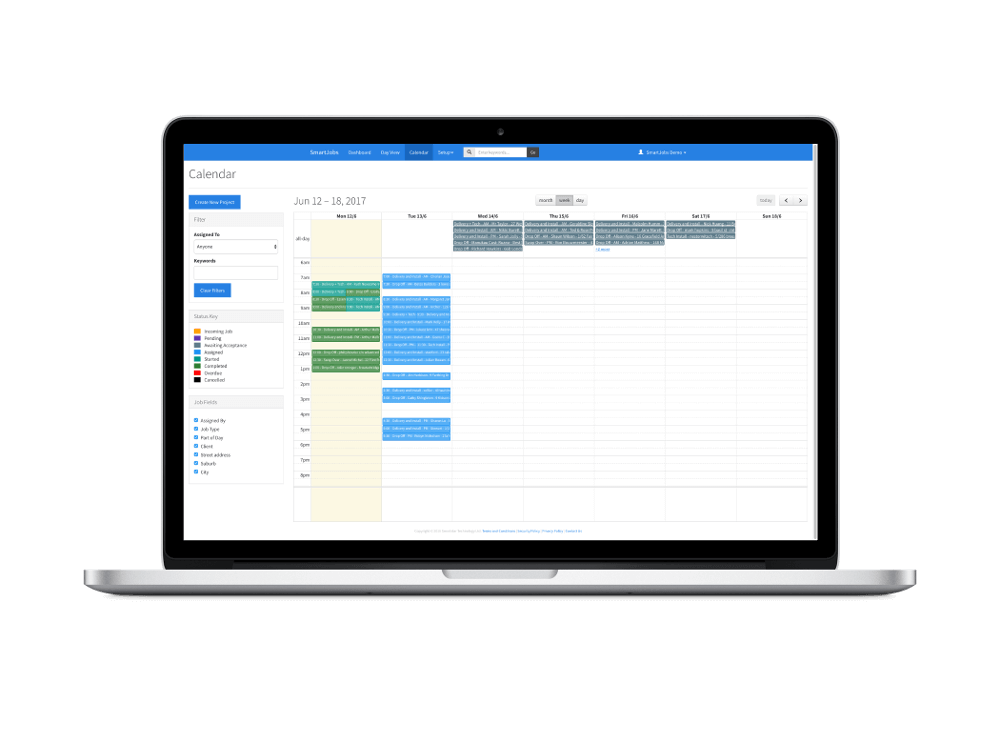
Plan work, assign jobs, capture site photos and documents, and keep teams aligned from office to site. Job Management remains part of the same SmartJobs platform, but Reception is the main website focus.

SmartJobs job management calendar screenshot
Pricing

Choose the SmartJobs plan group that fits your workplace.

Start with Reception, add SJ Reception and connected timesheets, expand into Site Management for construction H&S workflows, or run full Job Management when your team is ready.

Pick the plan group you want to compare. Both options include SmartJobs mobile tools and can be upgraded later as your team grows.

Site Management

  • Designed to manage site sign in and sign out to meet health and safety requirements.
  • Create and manage toolbox meetings for your workers and subcontractors from your phone.
  • Create your own QR code for each site so people can sign in from their own smartphone.
  • SmartJobs Reception kiosk app included on all paid plans, excluding free plans.
  • Easy-to-use tools for site managers to see who is on site in real time.

Job and Site Management

  • Designed for businesses assigning jobs to internal staff as well as external subcontractors.
  • Create and manage jobs on the computer and in the mobile app.
  • Manage your own jobs and jobs from other SmartJobs businesses from one login.
  • SmartJobs Reception kiosk app included on all paid plans, excluding free plans.
  • Full site management features are included on all job management plans.
Resources

Use SmartJobs from web, mobile and kiosk workflows.

Reception kiosk tablets use the focused SJ Reception app for on-site sign-in and sign-out. Install SmartJobs Reception from the App Store for iPad and iPhone, or Google Play for Android tablets and phones.

Questions

Know what happens before you start.

SmartJobs Reception is designed so teams can try the sign-in workflow quickly, then decide how much of the wider SmartJobs platform they want to use.

Do I need a credit card for the free trial?

No. The trial starts without credit card details, so you can test the reception workflow first.

What is created after signup?

SmartJobs creates your company account, starts a Site Starter trial, and prepares a Demo Reception Site for testing.

Can I use iPad and Android tablets?

Yes. SmartJobs Reception is available from the App Store for iPad and iPhone, and from Google Play for Android tablets and phones.

Can we add staff and multiple sites?

Yes. After email verification, add your users and set up real offices, depots, warehouses or construction sites.

Can staff sign in without the kiosk?

Yes. Teams can use kiosk, QR and mobile workflows depending on how each workplace or site is configured.

Who can see visitor and sign-in records?

Records stay inside your SmartJobs company account and are controlled through your users, sites and account access.

Replace paper sign-in with one connected platform.

Start with SmartJobs Reception, add unattended SJ Reception, connect timesheets from attendance, add SmartJobs Site Management for construction sign-in and H&S, and use Job Management for staff scheduling, trade bookings and operational workflows. Try it free with no credit card required.

Book an Online Demo

Request a SmartJobs demo.

Tell us what you want to see and we will come back to you with the right online demo for Reception, SJ Reception, Construction Site Sign-In, H&S, connected timesheets or Job Management.

Prefer email? Contact info@smartstar.co.nz.

Submitting sends this request to SmartJobs through the website.